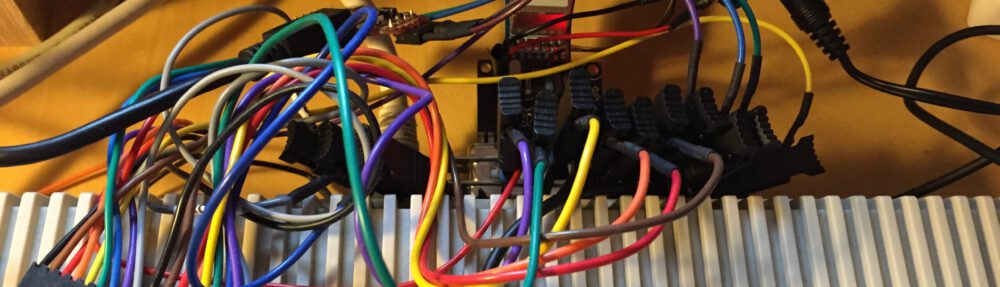

What is it?
plipbox is an Arduino-based device that allows to connect low-end classic Amigas via Ethernet to your local network. It bridges IP traffic received via PLIP on the parallel port of the Amiga to the Ethernet port attached to the Arduino.
Introduction
With the plip2slip project I already presented a device that uses a cheap AVR 8 bit microcontroller (as found on the popular Arduino boards) to bridge network traffic from the Amiga’s parallel port (with the MagPLIP protocoll) to another machine via a fast serial link.
plipbox extends the plip2slip project and replaces the serial link for IP traffic with an on-board Ethernet port. This allows you to connect your Amiga directly to your local network without any other machine assisting.
With the on-board Ethernet port the plipbox HW is more complex than the plip2slip HW, but I tried to use common and easy available HW modules to simplify the recreation of this device. This allows even novice users to build their own plipbox. (See the hardware document for details).

Software Releases
The current release is:
- v0.6 17.01.2015Â – plipbox-0.6.zip
- size:Â 367134
- md5:Â 1251968a08b9b66db46fdfbf8baefa11
- sha1:Â ab4483a405839e5123e580da7ededfd07c68ac24
- changes:
- new fast burst protocol for raw parallel transfers of up to 235 KiB/s
- see benchmark.md for detailed performance values
- cleaned up firmware and driver code
- rewrote firmware to handle a full ethernet frame in SRAM
- reduced parameters in firmware -> simplified usage
- added new test modes to allow detailed benchmarking of all system components
- v0.5 30.11.2014 – plipbox-0.5.zip
- size:Â 322835
- md5:Â fcdb43b225a9c544e5c5928b8f4279c0
- sha1:Â 276d2e963bebca37b55796de80bcd7f9c09d5641
- changes:
- plipbox device now automatically receives its MAC address from driver
- you can change your MAC address with SANA-II command in software (if your TCP/IP stack supports it, e.g. Miami DX or Roadshow)
- plipbox device maps online/offline state to Ethernet module and disables it if devie is offline
- parallel line protocol completely rewritten to use a client server model
- added optional Ethernet full duplex support
- added optional Ethernet flow control
- improved device statistics
- added error log
- v0.4 1.6.2013 – plipbox-0.4.zip
- size: 214433
- md5: 67e143d0f9acc750d201df7662c57d92
- sha1: ee5a84038547f5e45091cddf5c97f1012fc6b512
- changes:
- added hardware description for plipbox nano hardware
- added schematic and board design for plipbox nano base board
- added new firmware -nano for new plipbox nano pinout
- Amiga driver unchanged and stays at 0.3
- v0.3 25.5.2013 – plipbox-0.3.zip
- size:Â 199269
- md5:Â f64e0d8053ea93634495dfd178b21914
- sha1:Â 6f6dd491556c87b76855193ba36cff23477119cd
- changes:
- firmware and Amiga driver update. no hardware change.
- major redesign: removed NAT device and introducded MAC bridge, i.e. plipbox behaves like an Amiga Ethernet adapter and bridges all packets from there without alteration
- dropped lots of network code found in plipbox that is not needed for the MAC bridge
- rewrote and renamed Amiga SANA-II plipbox.device to be an Ethernet driver
- added a Python-based software emulation for the plipbox that operates with a patched FS-UAE Amiga emulator
- new approach makes the device zero-conf. Just attach and it works.
- v0.2 2.9.2012 – plipbox-0.2.zip
- size: 158248
- md5: 3d5b998f80ce5b48e2c151f756712467
- sha1: ed06ce9bdf52911b1d0eeeafd6fef89072423233
- changes:
- added support for AVR-NET-IO board
- v0.1 22.7.2012 – plipbox-0.1.zip
- size: 140029
- md5: f16007cb4e09f6adb2a2566b22fb6c84
- sha1: 1db80031969395371647e6e974f0dd738e49c79e
- changes:
- first public release
- initial feature set: DHCP, ARP and full TCP/UDP bridging
The software of the plipbox project is open-source and hosted on GitHub: plibbox@gitbub. Clone this repository if you want to build the firmware yourself or if you want to play around with it.
Documentation
- (New) GitHub hosts all docs now right next to the source:
- README
- ChangeLog
- Introduction: Technical Details on plipbox’s inner workings
- Benchmarks: Performance measurements
- Hardware: How to build your own plipbox
- Firmware Setup and Usage: Flash and use plipbox firmware
- Amiga Setup: How to setup the plipbox.device in various Amiga TCP/IP stacks
- Python plipbox Emulator: Use plipbox.device in FS-UAE and test it without real HW!
- Local Pages:
- Hardware Gallery
- Firmware Setup (replaced by Firmware see above)
- Amiga Setup (replaced by Amiga Setup see above)
Quick Start Guide
- Build the hardware (see Hardware page)
- Flash the firmware
- Connect the device to your Mac/PC via USB only
(no Amiga or Ethernet connection yet!) - Flash the supplied firmware file with avrdude (see Firmware page)
- Connect the device to your Mac/PC via USB only
- Access plipbox command shell via serial terminal
- Setup your terminal program on your Mac/PC to connect to the plipbox firmware
- See Firmware page section 2 for details
- Test Ethernet Connectivity
- In the command shell press 3 to enter PIO Test Mode
- Connect your plipbox to the Ethernet (keep PC terminal connected)
- On your PC install Python 2.7 and run the pio_test program (python directory in this release):
python2.7 pio_test
- See Firmware page section 3 for details
- Test Amiga Parallel Connectivity
- In the command shell press 4 to enter PB Test Mode
- On your Amiga run the dev_test program (amiga/bin directory in this release)
dev_test -d plipbox.device
- Now press p in the command shell to transfer packets
- Press a to toggle auto mode and s to see current transfer statistics
- See Firmware page section 3 for details
- Operation
- Setup networking on your Amiga (see Amiga Setup page)
- Connect device to Amiga (keep Ethernet and Mac/PC link)
- Enable plipbox.device on your Amiga
- Ping directly from your Amiga (call ping command in CLI):
- ping a host on your local ethernet (use numeric IP first then name)
- ping a remote host
- ftp/telnet/do whatever to test the network
- Ok, plipbox seems to work!
Have fun!
Hallo
Ich interesiere mich dafür
Ab wann kann man mit einem verkauf
rechnen und wieviel soll das
dann kosten.
Gruß Dark
Hi there. Do you sell ready-built plipboxes? Also, if you do, what price incl. postage?
Thanks.
No I don’t sell plipboxes. This is a DIY project so if you want one you’ll have to build one yourself. However, its all open source hardware. So if anyone wants to build plipboxes for sale its ok to do so (assumed the license is fullfilled and the project is correctly referenced).
genius ! amiga rulezz
Pingback: (Inter)Networking an A2000 - English Amiga Board
Pingback: plipbox 0.5 released « Lallafa's Blog
Pingback: Plipbox: Conecta tu AMIGA a la red desde el puerto paralelo |
Pingback: Arduino e amiga: Progetto plipbox
Pingback: Plipbox | Commodore Is Awesome
Pingback: Resumen de los últimos dÃas |
Pingback: A cheap and easy way to get wireless connectivity on your Amiga | Mambo's Amiga Blog
Pingback: plipbox 0.6 release « Lallafa's Blog
Pingback: More User-created hardware projects | Mambo's Amiga Blog
Pingback: Amiga Parallel Port: How fast can you go? « Lallafa's Blog
Hi,
Would it be possible to adapt this code to run on the ESP8266 WiFi device to get a wireless bridge too?
Thank you!
I flash plipbox 0.6 without any problems, but when I run Tera Term to check all I get is random letters and numbers. Any idea what´s wrong?
You havwe to set properluy your COM port transmission speed in your terminal program. For this project it seems to be 57600.
Pingback: The Retro Hour – Episode 5 (Tim Wright Lemmings/Wipeout Music) | The Retro Hour
Can you please post a photo of the Strobe wire correctly connected on the AVR-NET-IO board?
Also do I have to use the 5V power or can I just use the Amiga parallel power?
Hi, I just updated the plipbox hardware page and added a photo with the wiring of the strobe line. External power is mandatory as the parallel port (on non A1000) can only provide around 10mA while the circuit needs around 300mA!
With the cheap and easy ESP8266 – its possible to replace the Nano + enc28 ? Not sure if the ESP8266 has enough pins to connect the parallel port !?
Pingback: Playing YouTube videos on Amiga 500 with new Netsurf 3.6 and plipbox (and Vampire 2) | Mambo's Amiga Blog
Pingback: Multi Evolution 500 and Amiga A501 expansion cards on an Amiga 500 | ToughDev
Pingback: Retrodatorer - allt var bättre förr
Pingback: Deluxe Plipbox available (A560) | Mambo's Amiga Blog
Pingback: amiga and icaros links – the wet machine
Pingback: Retro Thang » Blog Archive » Adventures In Amiga Land
Pingback: Retro Thang » Blog Archive » PlipBox and MiamiDx
Pingback: Plipbox Amigához - ReTRoTiMe
Pingback: Adding an SD Card Slot and HDMI port to an Amiga 500 - Lyonsden Blog
Pingback: Mais ethernet pro seu Amiga. | Retrocomputaria
Pingback: Amiga Plipbox – 16-Bit Revolution
Pingback: plipbox Amiga-ra - ReTRoTiMe
Pingback: Plipbox Ethernet Adapter for the Amiga – Amiga 1200 Online again! – Loopixo
Pingback: 3D Modeling & Printing – Nicolas Baumgardt
Pingback: The Infinity Modules Player - Never Turn Off Your Amiga Again - Byte Cellar
You can find the analogue adapter to this for ibm pc here http://vintage2000.org/serial_wifi_adapter 🙂
worse piece of kit ive ever come across for the amiga! Sorry but its true! Might work for some but its never worked for me! Ive tried reflashing to 0.5 and still no luck! the DHCP defo does not work and im using miamiDX and also when connecting to teraterm i get random text?
Hi, this awesome project works great. But sadly it doesn´t work with EMU 68
Gets OFFLINE DROP… have tested with tho nanos/networkscards.. any clue?
I’ve just build the device based o enc28j60 and arduino nano, flashed it by rev. 0.5, but when I’m trying to communicate with it via COM port, I get msg that “enc28j60: ERROR SETTING UP!!”. What’s wrong with it? enc28j60 is designated ethernety shield for arduino nano. Any idea how to get around of it?
Pingback: Amiga -> Plipbox NetWork – frankybyte